Tooling6 min read
I spent over 1,000 euros on keyboards to escape German layouts
It took three keyboards and more than a thousand euros to fix a German layout that fought my Vim motions. Here is what each one taught me, and what I would tell someone starting out.
- Last updated
- Reading
- 6 min
On this page
To type a single quote on a German keyboard, you press Shift and #. In TypeScript I type a lot of quotes. That one key is where this story starts, and it ends with two split keyboards and a bill I will get to later.
A French keyboard, then a German one
I began on AZERTY keyboards, since French was my first language. Later I learned German and continued my studies in German, and over the years it became the language I work and study in (I think it still is). So when I bought my first Apple laptop four years ago, a MacBook Pro M1, I picked the German keyboard without a second thought.
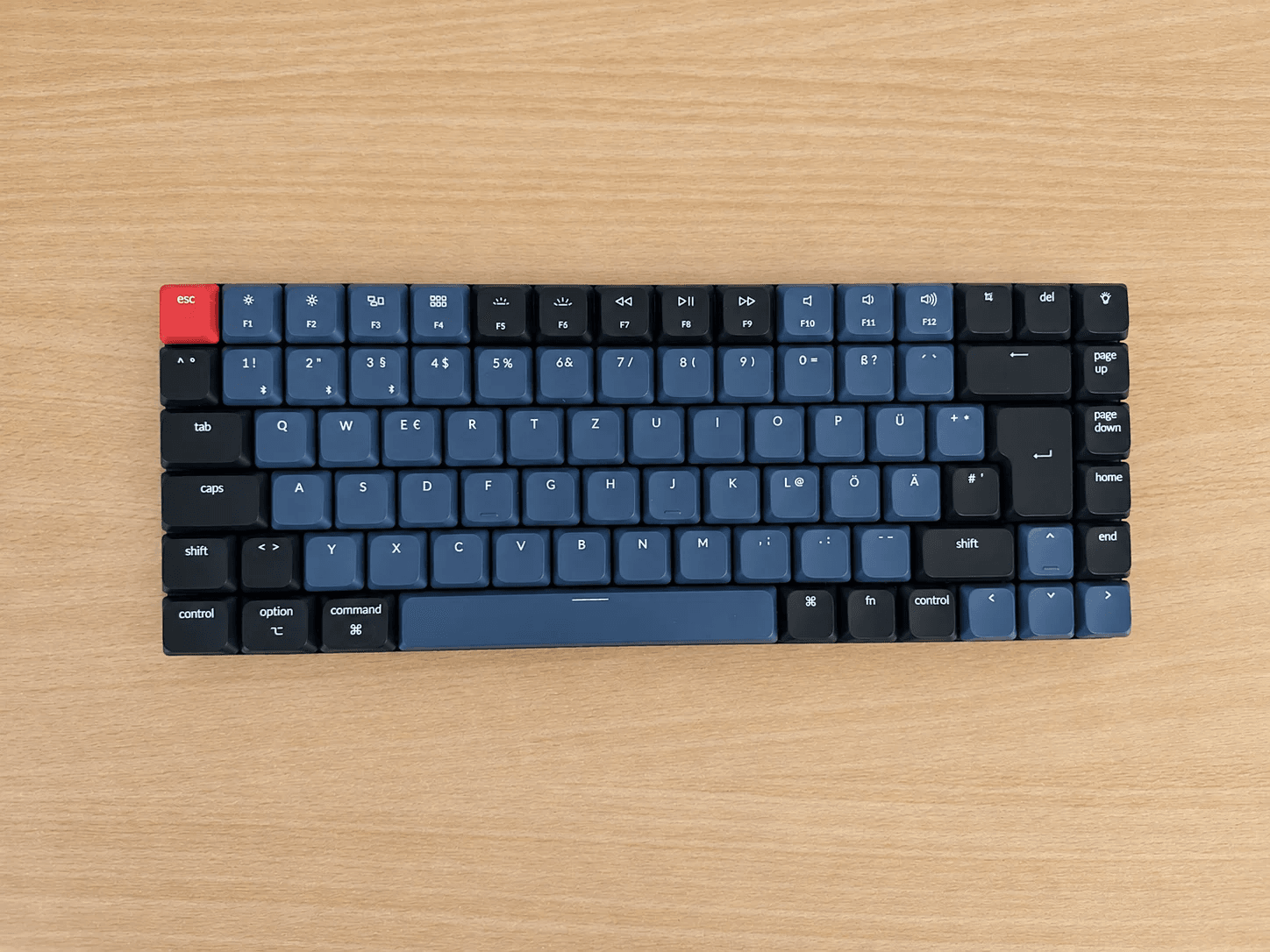
It served me well until I bought an external screen. When the MacBook is plugged into one, I keep it closed, because I prefer a single central screen to a wall of displays. That meant I needed an external keyboard. After comparing several options with a German layout, I went for a Keychron K3 Pro, which cost me around 100 euros.
The split keyboard propaganda
A few months later I fell for the split keyboard propaganda, mostly because of Chris, who kept praising them during his Twitch streams. At the same time I was trying out Neovim, or more precisely the Vim motions built into my editor, WebStorm. I kept seeing people say how well a split keyboard goes with customizing those motions, so I jumped in and bought my first one from splitkb.com.
It is the Elora, and it comes as a kit. The boards arrive pre-soldered, so there is no soldering iron involved: you choose the switches and keycaps and click everything together. You can also order it with the base already assembled, which leaves only the keycaps to add. I built mine myself, because what would my mother say if she learned that I could not manage that alone? The whole thing cost around 280 euros.
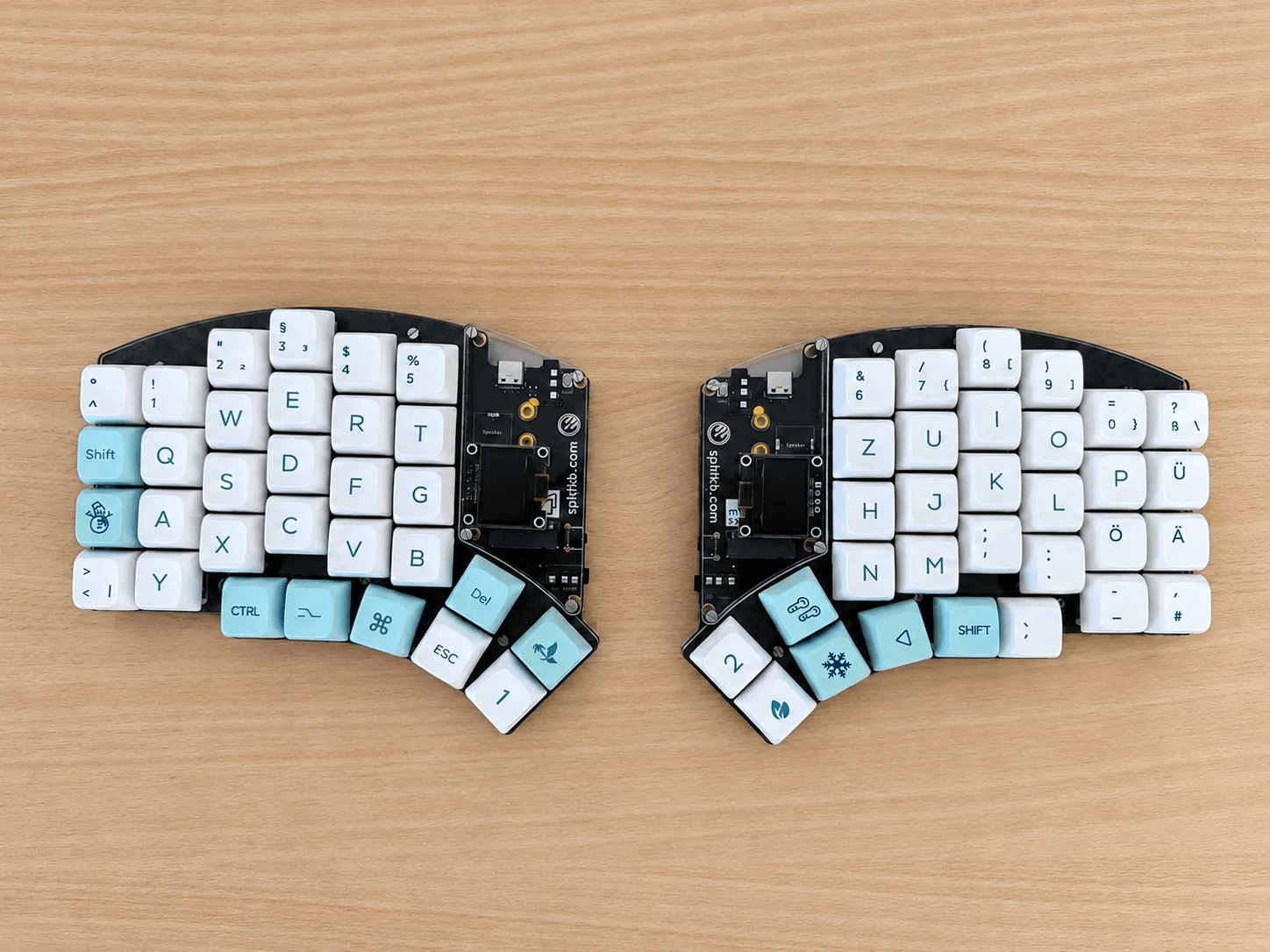
Once it was built, I could decide exactly where every key went and which combinations I used. I kept learning Vim motions on it, and I enjoyed it so much that I wrote my own Neovim configuration to get away from traditional IDEs.
The layout was fighting me
After a few months, I stopped making progress. Almost every week I was changing one more Neovim shortcut. I had rewritten nearly all of the default movement config (that freedom is the whole point of Neovim), and it kept going. Why did I keep tweaking things? Because my layout was German.
Take the single quote again. It is Shift and #, which gets tiring in a language like TypeScript. Square and curly brackets sit behind Option, and so do the backslash and the pipe. The backtick and the caret are dead keys: you press them and then Space, and if you press a vowel instead you get an accented letter.
Vim leans on exactly these characters. ' and ` jump to marks, {` and `} move between paragraphs, ^ goes to the first character of a line, and [ and ] start many mappings. Press a dead key followed by a vowel and you get an à instead of a motion.
Some days, in the middle of typing, a menu or something else I had never seen would appear in Neovim. It took me a while to understand that what I was typing had collided with a mapping, and the fix was always another edit in the config.
QWERTZ and QWERTY share almost every letter. The symbols are a different story. One day I switched the layout of my Elora to US, and that is when I understood that Vim’s motions fit a US keyboard much better. Getting used to it took me more than a month, and I am still learning to type without looking at the keys.
What the Elora could not give me
I wanted more than a new layout. I wanted {} on a single key, and / and \ close at hand, and the Elora, with its 62 keys, simply did not have enough of them for what I had in mind.
The other problem was comfort. Mine lay flat on the desk, and I prefer a keyboard that is tilted on the sides or raised at the top.
I used the Elora for a year, from mid 2024 to mid 2025. Then I started thinking about a second keyboard. I had been drawn to Dygma for a while, so I bought a Defy with white keycaps and every option, and this time with a US layout from day one.
619 euros, my God
Yes, 619 euros. Today I can say it was the best purchase I have made for my productivity.
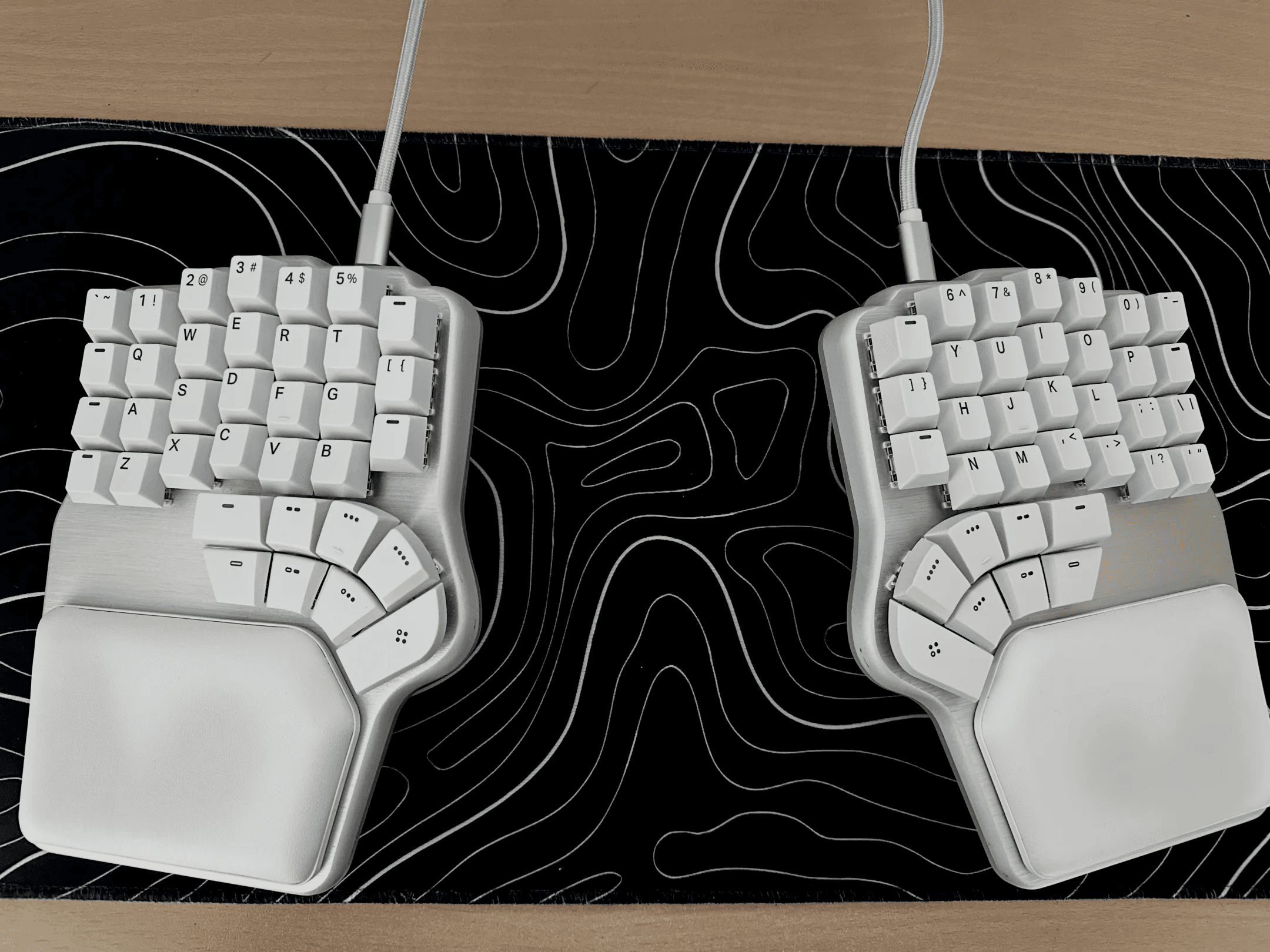
The keyboard is simply right for me. I can set the tilt where I want it, and the tenting goes up to 60 degrees. The build quality is exceptional. And then there is Bazecor, the software I use to configure it, which does a lot: I can choose exactly which color each key gets, at what moment and on which layer, and I can build up to ten layers.
Here are the three I use. The two thumb keys marked 2 and 3 on the base layer take me to the others.
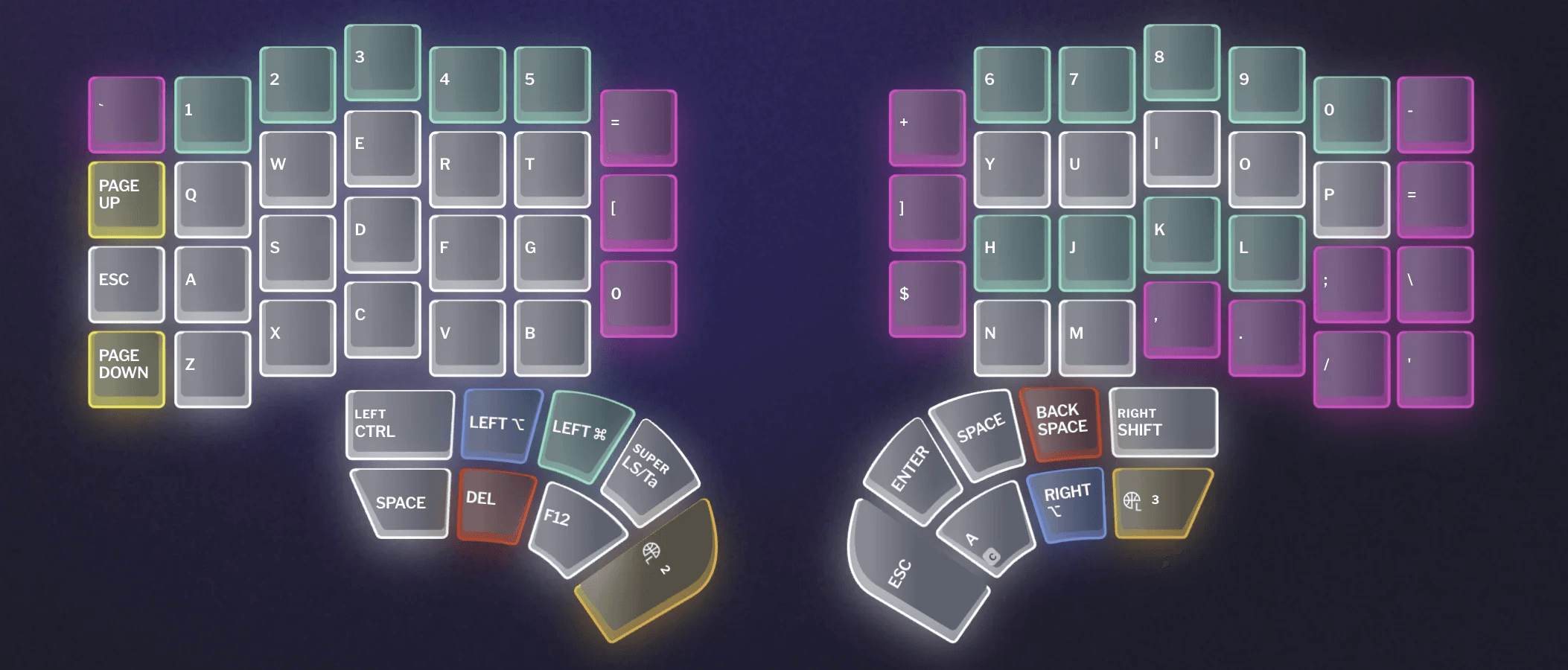
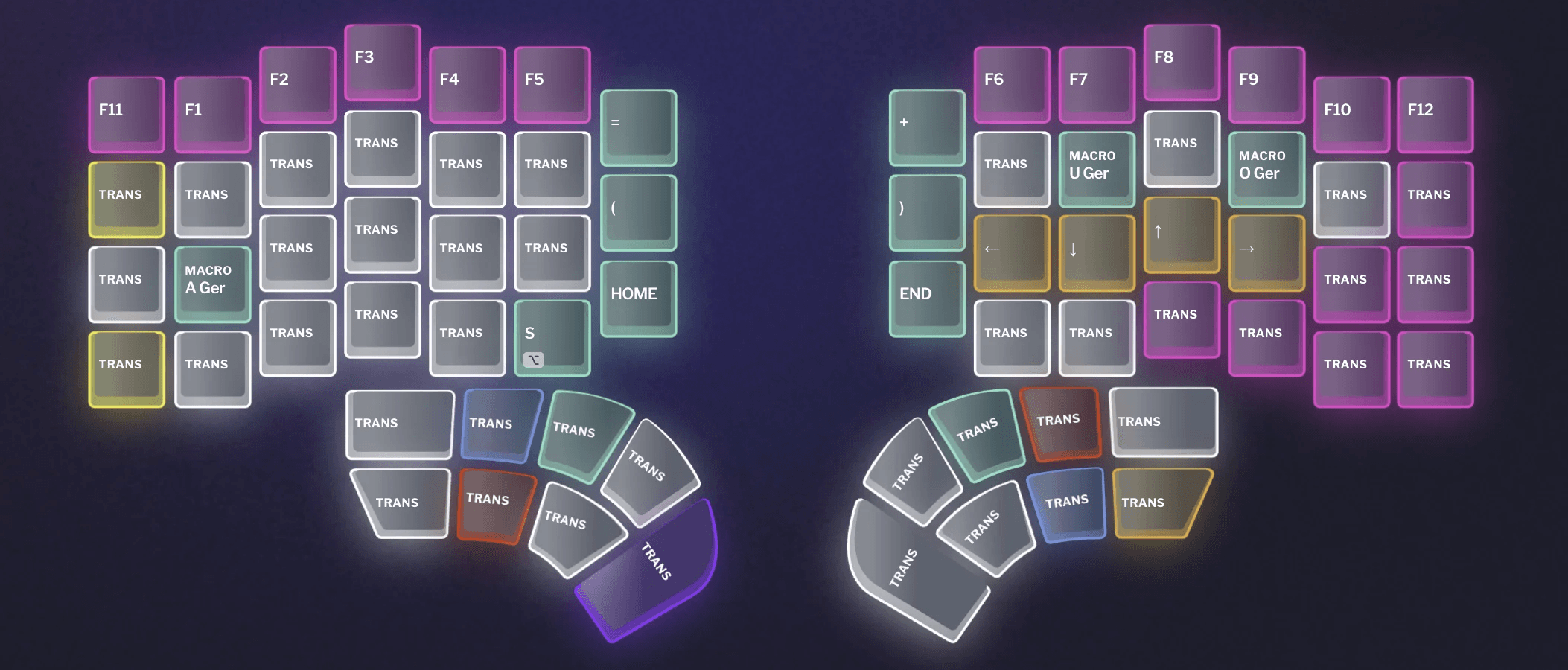
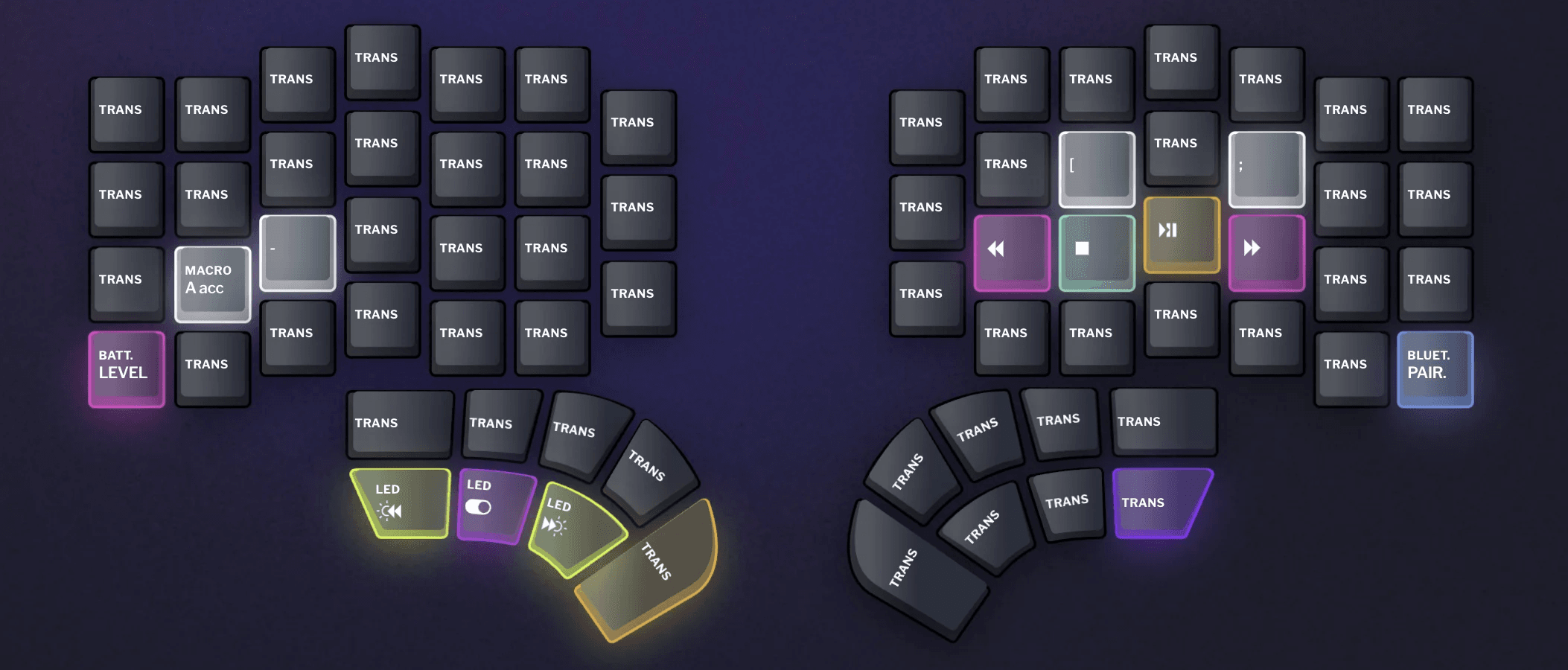
I write in three languages, and a US keyboard is not kind to two of them. German needs umlauts. French accents have no easy key combination on an English layout. So both got macros, which is why you see A Ger, U Ger and O Ger on the second layer and A acc on the third. One key, and the whole sequence is typed for me.
The thumbs finally have work to do
The biggest advantage, in my opinion, is the thumb cluster. It has 16 keys in total, eight under each hand.
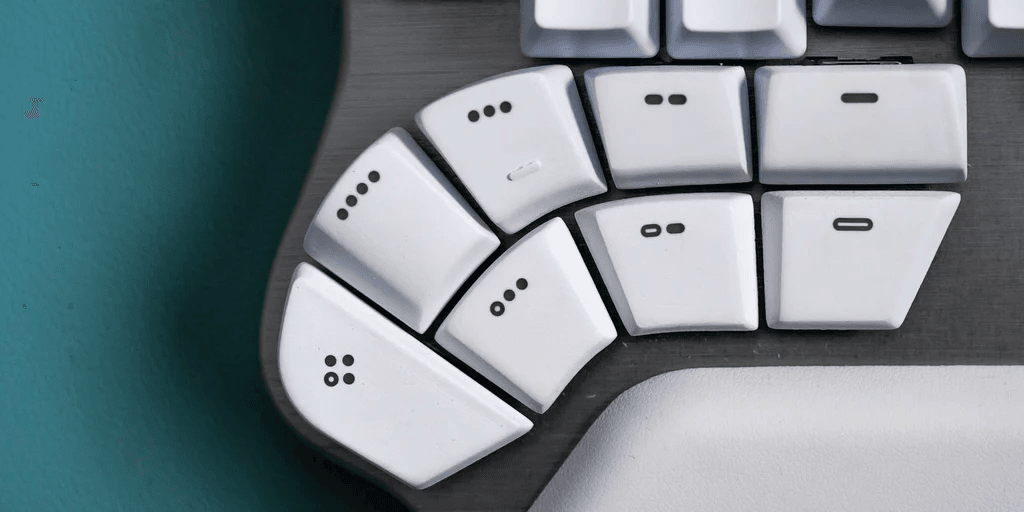
On an ordinary keyboard, two thumbs are almost always busy with the space bar, a single key that can take up the work of two fingers. We do not talk about that enough. Here I have Ctrl, Option, Command, Escape, Tab and the rest within thumb reach. I even mapped Ctrl-A directly on one of them, because it is my tmux key.
What I would tell you
If you are curious about split keyboards, here is the advice I would have wanted.
In my case that took three keyboards and roughly a thousand euros. The cheaper ones were not wasted money, they were how I found out what I wanted. And the single quote that started all of this? It now sits under my right pinky, one plain key press away.